
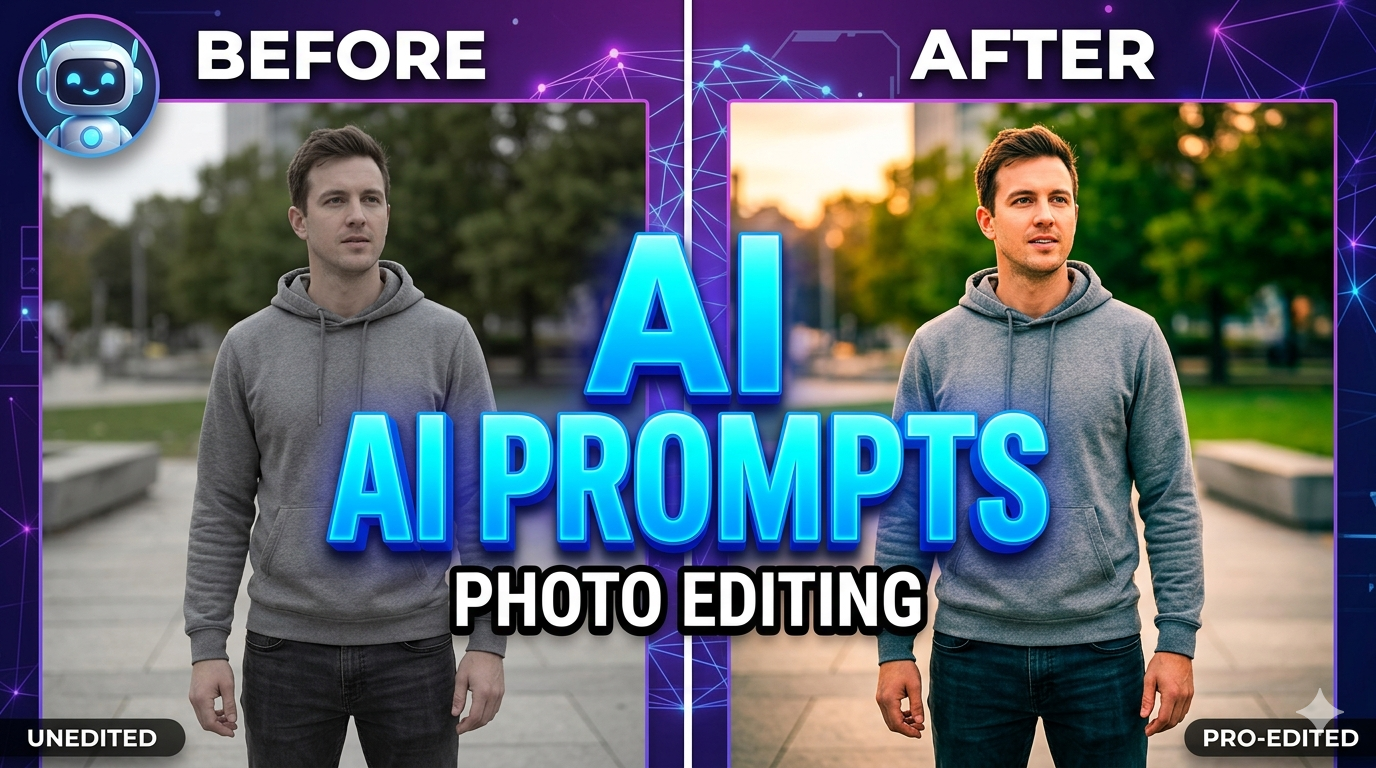
Discover the best AI prompts for photo editing in 2026. Learn the top 7 AI tools, how to write effective prompts, and choose the right editor. Master ai prompts for photo editing today!
Introduction
Are you tired of spending hours manually editing photos? AI prompts for photo editing are revolutionising how creators enhance images, turning complex edits into simple text commands. These short text instructions tell AI models exactly how to change an existing image—one sentence in, one finished edit out. Whether you’re a photographer, marketer, or social media creator, mastering AI prompts for photo editing can save you time while delivering professional results.
In this guide, you’ll discover the top AI tools, learn how to write effective prompts, and understand how to choose the right tool for your needs.
What Are AI Prompts for Photo Editing?
AI prompts for photo editing are direct commands that describe specific changes you want to make to an image. Instead of using complex tools like layers or masks, you simply type what you want: “remove the background,” “change the lighting to golden hour,” or “add a vintage filter.”
The key is thinking in commands, not conversation:
-
Use action verbs like “change,” “add,” “remove,” or “transform”
-
Be specific about what to modify
-
Focus only on the changes, not the entire image
-
Avoid conversational language or pleasantries
Top 7 AI Tools for Photo Editing with Prompts
Here are the best AI-powered photo editing tools that work with text prompts:
1. Adobe Photoshop (with Firefly)
The industry standard for complex photo editing projects requiring ultimate precision. Adobe’s Firefly AI excels at generating new images using written prompts or reference photos.
Best for: Professional photographers and designers needing pixel-perfect control.
2. Fotor
The best all-in-one AI image editor that handles most editing tasks in one platform. Fotor offers intuitive prompts for background removal, object replacement, and photo retouching.
Best for: Beginners and intermediate users wanting a single tool for multiple tasks.
3. Canva AI Photo Editor
Makes complex edits simple with powerful AI tools that quickly add, erase, and enhance images. Perfect for creating social media content.
Best for: Marketers and content creators needing quick social posts.
4. Picsart AI Photo Editor
Features 25+ all-in-one AI tools with 700M+ AI images generated. Handles background removal, object replacement, and photo retouching with simple clicks.
Best for: Social media influencers and casual editors.
5. Pixlr
A free online AI photo editor and image generator that supports editing, face swapping, and background removal. No installation required.
Best for: Users wanting free, browser-based editing.
6. Adobe Lightroom
Great for finessing and finalising photos with AI-powered adjustments for colour, exposure, and tone.
Best for: Photographers focusing on photo enhancement and colour grading.
7. Adobe Express
Turns photos into animated social posts that are easy to share and schedule anywhere.
Best for: Marketers creating social media content quickly.
| Tool Name | Website URL |
|---|---|
| Adobe Photoshop (Firefly) | https://www.adobe.com/products/photoshop.html |
| Fotor | https://www.fotor.com/ai-photo-editor/ fotor |
| Canva AI Photo Editor | https://www.canva.com/features/ai-photo-editing/ canva |
| Picsart AI Photo Editor | https://picsart.com/ai-photo-editor/ picsart |
| Pixlr | https://pixlr.com pixlr |
| Adobe Lightroom | https://www.adobe.com/products/photoshop-lightroom.html |
| Adobe Express | https://www.adobe.com/express/ |
| YouCam AI Photo Editor | https://yce.perfectcorp.com yce.perfectcorp |
| Pixelcut | https://www.pixelcut.ai pixelcut |
How to Write Effective AI Prompts for Photo Editing
Structure Your Prompt Properly
Use this formula for the best results:

[Main subject] + [Environment/Setting] + [Style] + [Lighting/Mood] + [Details/Adjectives] + (optional) [Camera/Perspective/Composition]Best Practices for AI Prompts for Photo Editing
-
Be specific and clear: The more explicit your prompt, the more precise the result
-
Use strong action verbs: Start with “change,” “add,” “remove,” or “transform”
-
Only describe changes: The AI already sees your uploaded image, so focus on what to modify
-
Include descriptive language: Add adjectives for texture or vibe, like “soft, diffused glow”
-
Use higher-resolution images: Better input quality = better edits
Example Prompts You Can Copy
-
“Change the red car to blue while maintaining the same lighting”
-
“Remove the background and add a soft white gradient”
-
“Transform the lighting to golden hour with warm tones”
-
“Add a vintage film filter with slight grain”
-
“Enhance sharpness and increase contrast by 30%”
How to Choose the Right AI Tool (Beginner’s Guide)
Choosing the right tool depends on your specific needs:
Evaluate Based on These Factors
Key Questions to Ask Yourself
-
What’s my primary use case? (Social media, professional photography, marketing)
-
What’s my budget? (Free vs. premium features)
-
Do I need a desktop or a browser-based?
-
What features matter most? (Background removal, object replacement, colour grading)
For most beginners starting with AI prompts for photo editing, Fotor or Canva offers the best balance of ease-of-use and powerful features.
The Future of AI Art and Photo Editing
The future of AI art is incredibly promising. AI photo editing tools are becoming more intuitive, requiring less technical knowledge while delivering better results. We’re seeing:
-
Natural language processing improvements: More conversational prompts will work better
-
Chain with constraints: Complex multi-step edits in single prompts
-
Integration with creative workflows: AI tools seamlessly integrated into existing software
-
Real-time editing: Instant preview and adjustment capabilities
As AI continues evolving, the barrier to professional-quality photo editing will continue dropping, making stunning visuals accessible to everyone.
Conclusion: Your Final Recommendation
If you’re new to AI prompts for photo editing, start with Fotor for its all-in-one capabilities and beginner-friendly interface. For professional work requiring precision, invest in Adobe Photoshop with Firefly.
Remember: the key to success with AI prompts for photo editing is specificity. Use direct commands, be explicit about changes, and iterate when needed. With the right tool and well-crafted prompts, you can transform ordinary photos into extraordinary visuals in seconds.
Start experimenting today—your best edits are just a prompt away.
New AI Tools Releases This Week: Top 7 Fresh AI Tools You Should Know